






The warehouse is waiting for an order screen. The accounts team is concerned about space for its growing records. The owner asks whether the system is healthy, but the answer arrives as a collection of technical details that do not explain what needs attention.
A business needs a useful first view. Is the server healthy? How long has it been running? Is there space for its work? Can it reach the network? These questions help the support team decide where to look before recommending an action.
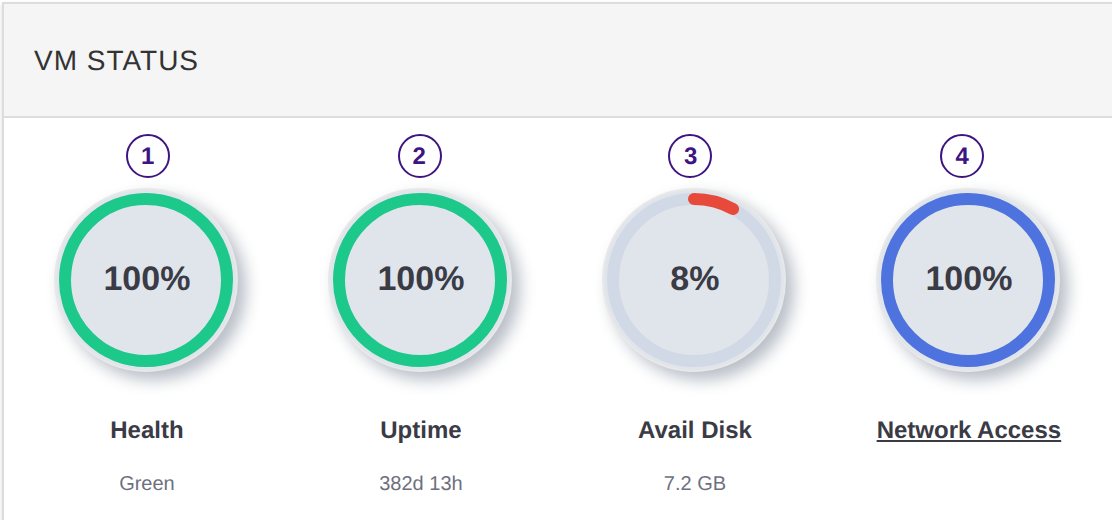
VM Status brings those four signs onto one card: health, uptime, disk space and network connection. The server may be virtual, but the work depending on it is the same everyday work the customer needs to complete.
Begin with what is known
When people are waiting, there is pressure to give an immediate explanation. A status view can help the team establish the facts before guessing at the cause.
The card puts the main signs together for the individual server. A partner can review them while discussing the customer’s experience, rather than collecting each basic detail in a separate conversation.
For the customer, the benefit is a more focused first response. The team can explain what the server view shows, what it does not yet explain and what will be checked next.
Keep the customer’s task in the discussion. A healthy-looking server does not by itself explain why a particular report is slow. The status card provides context for investigation, while the user’s account describes the business problem.
Treat storage as a planning question
A business naturally accumulates records. More orders, documents and application data can change what the server needs. Available disk space matters because the work still needs somewhere to be stored.
VM Status shows the space available on the server. Reviewing it gives the partner and customer a chance to discuss growth before storage becomes an urgent constraint.
The useful conversation goes beyond a request to buy more space. What is growing? Is a new application being introduced? Is a busy period approaching? Understanding the business plan helps the team make a proportionate recommendation.
For an owner, this creates room to review the proposal and agree the next step. A capacity discussion is easier when it happens before staff are waiting to finish their work.
Check the route from this server
A gateway can be available while an individual server still needs its own connection checked. For the person unable to use the application, that distinction matters even if the technical names do not.
Gateway Health shows the route into the service. VM Status shows whether this server is reaching the network through its gateway. Looking at both helps the team narrow down where attention belongs.
For a reseller, this supports a more precise explanation of what has been checked. For the business customer, it means the response can move beyond the general statement that the network is available.
Use uptime as part of the service record
Uptime records how long a server has been running. It gives the team a service-level figure to consider alongside the other signs on the card.
Use that figure to support a specific conversation about the server. It is not the same as proof that every application task worked throughout that period. Keeping those meanings clear makes the record more useful to a business owner.
A regular review can finish with a practical outcome: investigate a health concern, discuss space, check the connection or record that no follow-up is currently indicated. The card is most useful when the information leads to an appropriate next step.
Software vendors get a starting point for customer investigations. Partners can explain the individual server’s state. Customers can understand why attention is being recommended and what it is intended to protect.
Ask us to walk through your server’s status using the applications and working routines that matter to your business.