





The phone call
Picture a Tuesday in the accounts department of a transport company. The auditor has found a batch of invoices from the previous financial year that do not reconcile. She asks a simple question: can you show me the system as it stood on the thirtieth of June?
The IT manager checks. The hosting provider keeps fourteen days of backups. The company's own backup drive holds the last four weekly copies, because the database is large and the drive is not. The thirtieth of June is five months ago. It is gone.
Nothing was lost through carelessness. Everyone did their job. The data simply did not fit.
Why it keeps happening
A database backup is a large file. A snapshot of a file server is larger. Keep thirty daily generations with an ordinary tool and you need thirty times the space. Keep a year and the storage array becomes a line in next year's budget.
So businesses compromise. They keep a few generations and hope the one they need is among them. They buy a backup product, install an agent on the server, design a full-plus-incremental schedule and assign someone to watch it. When the auditor, the insurer, the tax office or a government contract asks for a copy from a specific day, or a copy "kept under your own control", the honest answer is often: we did not have room.
That is the pain. Not a disaster, just a quiet, recurring exposure that costs real money the day somebody asks the question.
The simple answer
NetLeverage already backs up your servers in the cloud. Vault brings those backups to storage you own, and it is built so that keeping many generations costs little more than keeping one.
Vault understands what is inside each backup and keeps every piece of data exactly once, however many generations refer to it. A new day's backup adds only what changed since the day before. Thirty daily generations of a database occupy little more than one. Six months occupy a fraction of what you would expect. The same file, the same database, the same backup, kept generation after generation, and no shared piece of data stored twice. Compression is built in, so even the first copy is smaller than the original.
Everything becomes incremental on its own. There is no backup tool to buy, no agent to install, no schedule to design. In the Delivery Client you tick the servers and backups you want, choose where they go and how many runs to keep, and that is the whole setup. Your choice of destination: a server in your own office, an SFTP location, or an S3 bucket in your own account. The backups travel over an encrypted connection and land somewhere only you control.
You watch each delivery arrive, in the Delivery Client on your computer and on the Cloud Dashboard, in real time. Both show the same thing.
The same Tuesday, with Vault
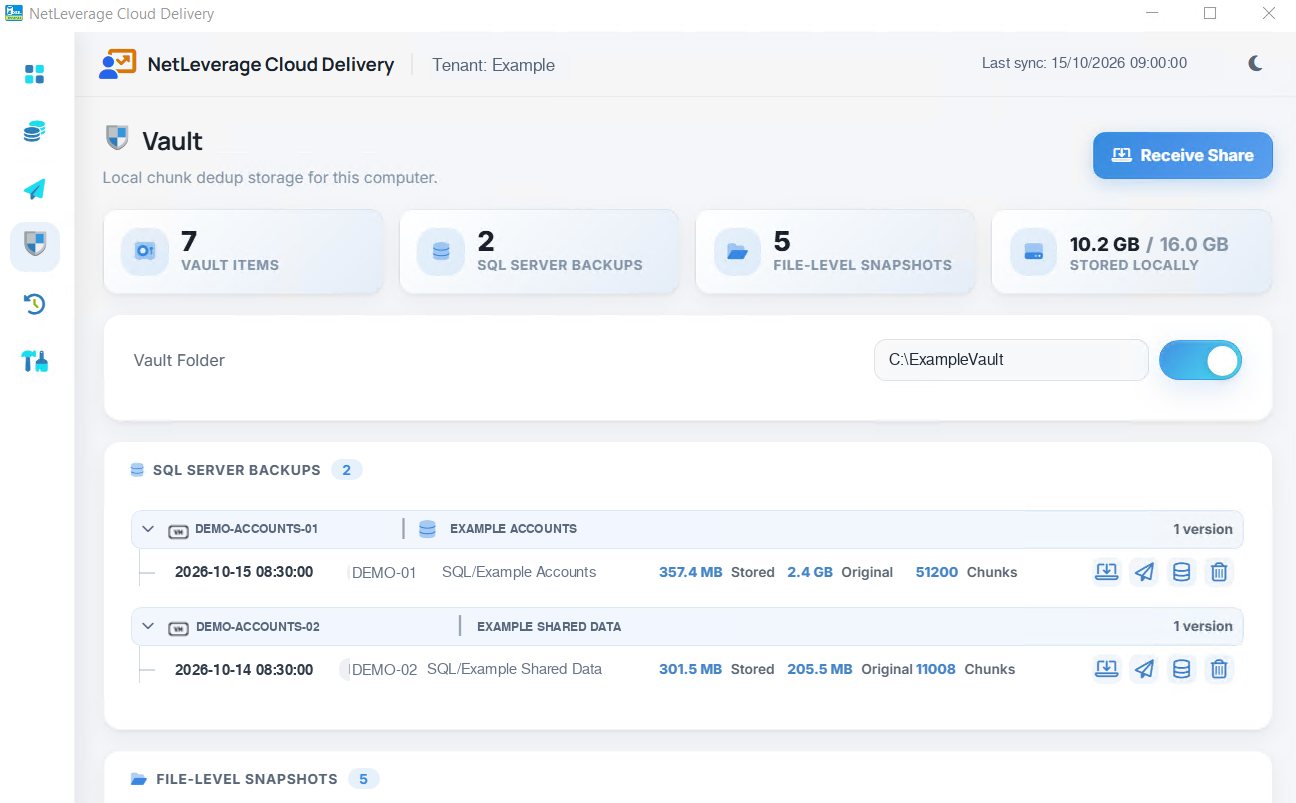
Once the copies are stored in the Vault on your own computer, files and databases remain available there even when the cloud cannot be reached. That gives the business a local source of the data it has already received.
A database copy for an accountant or developer can be attached under a new name. The live system stays untouched while the saved copy is inspected.
The auditor asks for the thirtieth of June. The IT manager opens the Vault on the office server, finds the database generation from that date, and attaches it to SQL Server from the Delivery Client. The auditor can then inspect the invoices as they stood that day. No ticket to the hosting provider, no restore window, no apology.
The year-end copy the accountant wants, the state of the system before the upgrade, the daily copy the government contract demands: all there, on your own storage, for as long as you decide to keep them.
Not only backups
Vault is also a place for your own large files, the ones that are not NetLeverage backups at all. Drop the scanned-document archive, the design files or the seven-year reports into it from the Delivery Client's dashboard and they are kept in versions, compressed and deduplicated, exactly like the backups. One place and one set of rules for everything you must keep.
Who you can hand it to
Sometimes the person who needs the backup is outside your building: the accountant, the auditor, a second site. From the Vault you share it with a one-time code, directly from your computer to theirs. NetLeverage's gateway only introduces the two ends. The receiver can attach the database straight into their own SQL Server.
Backups you choose, at your level
An ISV can deliver the databases of one customer, or of every customer on its tenant, from one server or many, to one destination. A partner can do the same for the customers it looks after. A customer can deliver only the two databases that matter. Each party sees and selects only the servers and backups assigned to it on the Cloud Dashboard, and the Delivery Client follows the same rules.
What it means for you
Software vendors. Your customers' data is in their own hands every day, with nothing for your developers to build or run. "Where is our data?" is answered on your Dashboard, per server, with the time it arrived. A customer’s problem can be investigated using a database attached out of their Vault.
Partners. A version-history and local-copy service you offer without buying infrastructure. Every customer's deliveries on one screen, the same screen the customer sees. Fewer emergency calls, because customers get their own files and databases back.
Customers. Your data on your own storage as well as in the cloud. Months of generations for little more than the space of one. A file or database recovered by you. And a clean answer the next time someone asks to see the thirtieth of June.