






A customer describes a problem with an order screen. The support person asks which button they pressed, what happened next and whether they can send a picture. The customer is trying to finish the order. Neither person wants a long exchange about what the other cannot see.
The same gap appears in training and sales. Someone explains an application while everyone else imagines how it works. Questions arrive later, when people try it for themselves. A useful conversation becomes a sequence of screenshots, follow-up calls and repeated explanations.
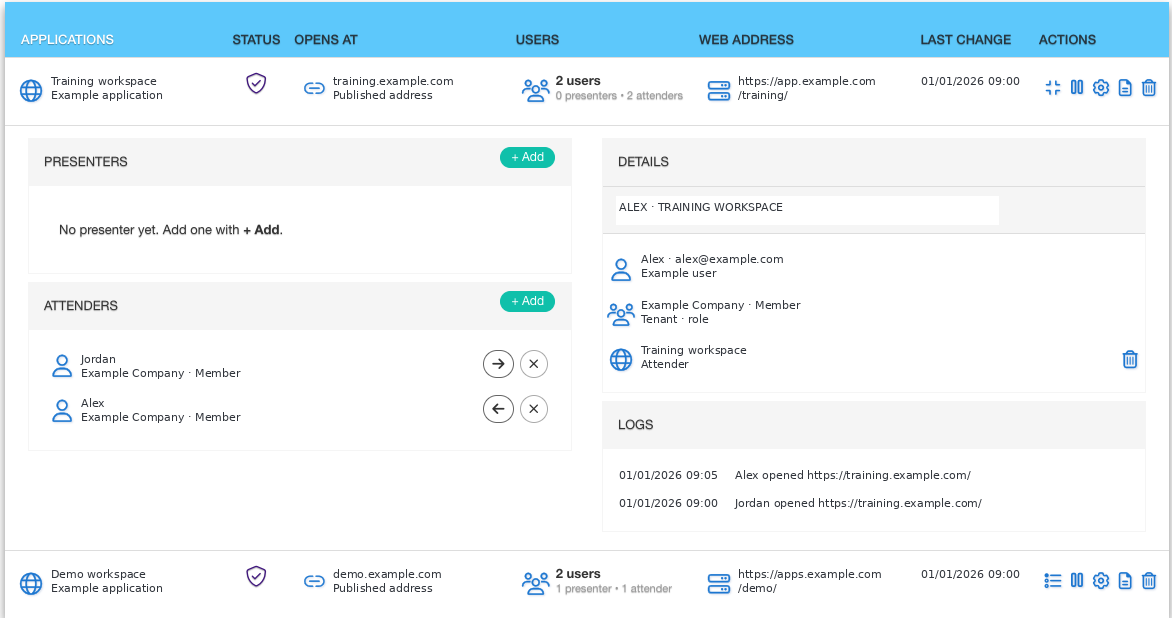
AppUnity lets you share a live application with the people you choose. It can be a web application, a Windows application or another application you already use. The people joining do not need to install it. They can see the work in context, while it is happening.
Start with the customer’s situation
For a support conversation, the useful starting point is often the exact place where the customer became stuck. Sharing a connection to the application gives the customer and support team a common reference. They can point to the same screen instead of translating it into an email.
That matters when the issue is difficult to describe. A customer may know that the result is wrong without knowing which setting caused it. A live view lets the conversation follow the work and gives the support team something concrete to investigate.
The practical choice is what to share and with whom. A focused connection to the relevant application keeps the session tied to the task. Decide which records are appropriate to show before inviting a customer, adviser or support person.
Teach people in the place where they will work
A new employee can read a procedure and still be uncertain about the first real transaction. A live training session lets the trainer show the sequence, explain why a step matters and answer questions as they arise.
AppUnity can share an application with one person or many. That makes it useful for a focused handover as well as a group presentation. A software vendor can demonstrate a workflow to a customer team without first arranging a separate installation for every participant.
For sales and marketing, the same approach turns a general product conversation into a discussion of the customer’s work. Show the part that addresses their problem. Let the questions guide the demonstration rather than trying to cover every feature.
Choose who may open the application
Convenience needs clear boundaries. A demonstration for a prospective customer, a support session and an audit review have different purposes and different participants.
People sign in with their Cloud Dashboard login, and you choose who may open the shared application. Access is an explicit decision, rather than something assumed because a link was passed along.
For resellers, that provides a way to organise sessions around individual customer needs. For business owners, it keeps the discussion of access connected to a named person and a specific purpose. Review those choices when the work or the people involved change.
Bring AI into work you can show
AppUnity also supports co-working with AI. You can show an AI what is on screen or give it a full desktop on which to work through the user interface.
The business opportunity is to move from describing a task in the abstract to working with the application in front of you. Decide what the AI may see and do, and who will review the result. Approval for consequential actions should remain a deliberate business decision.
Software vendors gain a shared place for demonstrations, training and support. Partners can bring the right people into a customer’s workflow. Customers spend less of the conversation trying to explain a screen nobody else can see.
Ask us to show you AppUnity using a workflow your customers recognise.